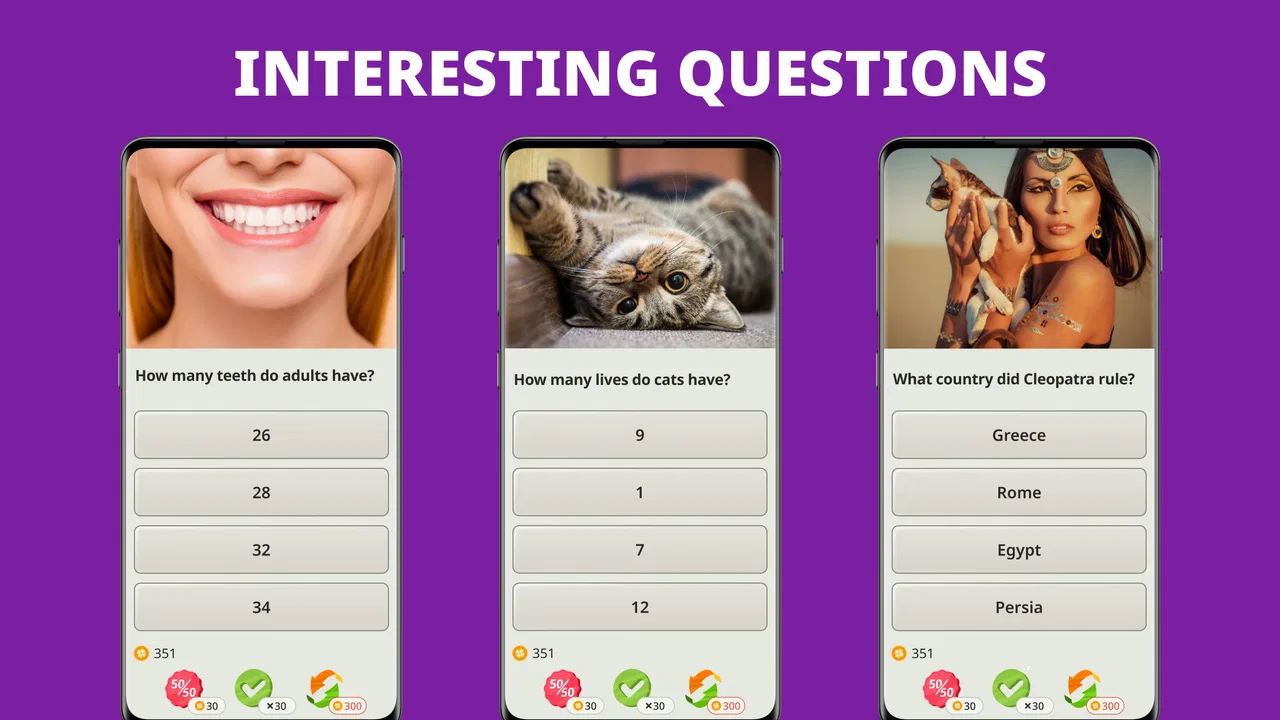
QuizzLand. Quiz & Trivia game
- 4.8
- Rating
- 100.00M
- Installs
- Free
- Price

 Analysis by App-foxy
QuizzLand is the kind of trivia game I open when I want something more active than scrolling but less demanding than a long gaming session. It combines general-knowledge questions with logic and brain-training elements, so each round feels like a small mental workout rather than a simple quiz of memorized facts. I found it easy to pick up, although getting the best experience depends on understanding how to approach the questions instead of rushing through them.
Developed by Quiz & Trivia Games by Mno Go Apps, it is free to start and aimed at Everyone. Its popularity is easy to understand: the game has passed over 100 million installs and holds a 4.8 average from around 1.7 million ratings. Those numbers do not guarantee that every question will suit every player, but they do show that this is an established choice rather than an obscure experiment.
What makes the quiz enjoyable in everyday use
The main appeal is the short-question format. I can play for a few minutes while waiting for an appointment, or stay longer when I get drawn into a difficult sequence. The questions are designed to test more than recall. Some ask for a straightforward fact, while others require careful reading, pattern recognition, or a bit of deduction. That mixture keeps the experience from becoming a repetitive list of school-style questions.
In-Depth Coverage of QuizzLand. Quiz & Trivia game
I especially like the way a question can make me slow down. In many trivia games, the fastest answer feels like the best answer. Here, reading every word matters more. A small qualification in the wording can change what the question is asking, and that creates a useful habit: I now reread a question before spending an answer when two choices look plausible.
A realistic use case is a short commute or a break between tasks. I might play several questions, stop without needing to prepare a complicated session, and return later when I have more attention. It also works well as a casual group activity. One person can read a question aloud and everyone can discuss the possible answer, although the game is primarily designed for individual play.
The brain-training angle is best understood as a reason to engage with the questions, not as a promise of measurable improvement. I would describe QuizzLand as mentally stimulating and educational in places, but I would not replace a structured study tool or a serious learning course with it. Its strength is making small bursts of thinking feel entertaining.
Where new players can get stuck
The first friction point is expectation. Someone looking for a focused subject quiz may be surprised by the broad range of knowledge involved. A player who enjoys history but dislikes science, language, or general culture may find some rounds uneven. I had to accept that not every question would match my interests, and that the variety is part of the design rather than a flaw that can always be avoided.
Another common problem is treating an incorrect answer as a failure instead of useful feedback. The game is more rewarding when I use mistakes to identify weak areas. If I guess immediately, I lose the chance to notice why the wrong choices looked convincing. My practical advice is to pause for a moment, eliminate answers that clearly do not fit, and then choose. That small change makes the game feel more like reasoning practice.
Players may also become frustrated when a question depends on a detail they have never encountered. Trivia naturally includes facts that cannot be derived from logic alone. In those moments, the app can test memory or exposure rather than pure intelligence. I think it is fairer to judge the experience by the quality of the overall session, not by whether every individual question feels solvable.
The free-to-play structure can create another point of hesitation. QuizzLand is free, but it includes in-app purchases ranging from $0.69 to $19.99 per item. I recommend deciding in advance whether I am comfortable using the free experience as it is or spending money if an optional purchase becomes useful. Making that choice before playing helps prevent an impulsive purchase during a frustrating streak.
Setup checks before blaming the game
QuizzLand supports devices running Android 6.0 or later, and the current version is 3.12.014. Before troubleshooting, I would check the operating system and make sure the installed version is current through the normal app store process. A device that is technically compatible can still behave poorly when storage is nearly full, the system is overloaded, or the app has been left running for too long.
My first setup routine is simple: close other demanding apps, restart the phone if the device has been running for an unusually long time, and open QuizzLand again. This is not specific to trivia, but it is often more useful than repeatedly tapping a screen that appears frozen. I also check whether other apps are having similar problems. If several apps are slow, the issue is probably broader than this game.
For a smoother first session, I would avoid starting while the phone is installing updates, switching between weak connections, or operating in a very low-power state. A short quiz deserves a stable environment. If the game opens but a particular action does not respond, I would wait briefly before repeating the tap several times. Repeated input can make it harder to tell whether the app is delayed or has actually ignored the command.
You May Also Like

 Hill Climb Racing
Why Hill Climb Racing Still Turns Crashes Into One More Run
A tiny car, a bumpy hill and one more upgrade: Hill Climb Racing keeps resurfacing because its simple chaos makes every near-miss feel personal.

 AliExpress - Shopping App
AliExpress Makes Global Shopping Feel Personal, but Shoppers Bear the Risk
AliExpress turns a global marketplace into a pocket-sized discovery engine. Its reach is useful, its shopping loop compelling, and its trade-offs easy to miss.

 Lords Mobile: Kingdom Wars
Lords Mobile Is a Kingdom-Building Routine, Not a Quick Match
A case-by-case verdict on the building, battles, device demands, and social commitments that make Lords Mobile rewarding for some players and exhausting for others.

 PDF Scanner app - TapScanner
TapScanner Makes Paperwork Easier to Capture, Check, and Share
TapScanner makes scanning with a phone feel less like a rescue operation and more like a dependable step in getting work done. Its capture tools are useful, though not flawless.

 Block Blast!
Block Blast! Shows How Much a Puzzle Game Can Leave Out
A quiet grid game shows why puzzle players increasingly value instant clarity, repeatable skill and low-pressure play—and where the genre still needs to catch up.

 Family Space
Family Space Review: A Shared Routine That Makes Family Life Easier
A parenting app earns its place not by adding more noise, but by making everyday coordination easier. Family Space gets that balance mostly right.
More From Our News Desk
View All News


It is also worth checking the basics of the device itself. If touch input is unreliable in other places, remove anything that interferes with the screen and test the phone outside the game. If sound is important to you, check the device volume and silent settings rather than assuming the quiz is responsible. These small checks separate an app problem from a phone problem without requiring risky changes.
I would not begin by clearing app data or reinstalling. Those actions can remove local progress or reset the experience, depending on how the app handles information on the device. A safer order is to close the app, restart the phone, confirm the system and app are up to date, and only then consider more disruptive steps. If progress matters, I would first make sure I understand how it is preserved before taking any action that could erase it.
Recovering a disrupted quiz session
When a session is interrupted, my first step is to reopen the game normally and see whether it returns to the same place. If it does, I continue rather than changing several settings at once. If it starts from a different point, I avoid repeatedly reopening it, because that rarely repairs a problem and can make the situation more confusing.
A useful recovery workflow is to note exactly what happened: did the app close, did the screen stop responding, did an answer fail to register, or did the game simply take longer than expected? Each symptom points to a different check. A crash suggests restarting and checking the device environment. A delayed response suggests waiting and testing general touch performance. A lost session may be related to how the game handles interruptions rather than a fault with the question itself.
I also recommend changing one variable at a time. For example, restart the app first and test one short session. If the issue remains, restart the phone and test again. If the problem appears only under one network condition, compare it with another stable connection. This method is less dramatic than immediately reinstalling, but it gives a clearer idea of what actually helped.
When I am playing for concentration, I treat interruptions as a signal to pause instead of forcing the session. A low battery, an overheated device, or many background tasks can make any game feel unstable. Taking a break and returning after the phone has settled is often the most sensible recovery. Trivia should be relaxing; there is little value in turning a minor delay into a long troubleshooting battle.
If an issue continues after the basic checks, I would use the app store’s normal support route and describe the precise behavior, device system version, and the steps that led to it. A clear report is more useful than saying only that the game is broken. I would avoid downloading unofficial copies or following random instructions that ask for unusual access, because fixing a quiz app is not worth compromising device security.
When the app is not the cause
Some apparent problems come from the surroundings. A poor connection can affect anything that needs to load, while a crowded device can cause slowdowns across multiple apps. If QuizzLand is the only app behaving strangely, it deserves closer attention. If video, messaging, and other games are also failing, I would investigate the phone, network, or operating system first.
Touchscreen issues are another easy source of confusion. If an answer seems not to register, I test the screen in a notes app or browser. A screen protector, moisture, or a damaged area can affect taps in one part of the display. That is not a trivia error, and reinstalling the game will not repair it.
There is also a difference between an incorrect answer and a technical malfunction. Trivia questions can be ambiguous from a player’s perspective, especially when two choices seem close. I do not assume the app is malfunctioning simply because I disagree with an answer. I reread the wording, consider whether the question is asking for the most specific option, and then move on. This mindset keeps normal quiz difficulty from becoming unnecessary troubleshooting.
Notifications and interruptions can make a session feel less reliable too. If another app takes focus or the phone locks during a question, the result may be an interrupted round rather than a defect in the quiz. I get a better experience by starting a session when I can give it a few uninterrupted minutes. That is particularly helpful when I am trying to reason through a question instead of guessing.
Who will enjoy it, and who should choose something else
I would recommend QuizzLand to players who enjoy variety, short sessions, and questions that mix knowledge with reasoning. It suits someone who wants a casual mental challenge without committing to a long campaign. It is also a reasonable choice for families because its content rating is Everyone, although adults should still remember that a broad trivia game will not match every child’s knowledge level.
It is less suitable for someone who wants a tightly controlled learning path. If your goal is to master one language, prepare for a specific exam, or study a single academic subject, a dedicated educational app will usually be more efficient. QuizzLand can support curiosity, but it is not organized around a formal curriculum.
Compared with a traditional crossword, it offers faster feedback and a wider range of factual topics, but less of the slow, word-focused satisfaction that crossword fans may prefer. Compared with a live multiplayer quiz, it is more convenient because it does not depend on finding opponents at the same time, yet it may feel less exciting for people who need competition and social pressure. Compared with a flashcard app, it is more playful and varied, but less predictable for deliberate memorization.
My strongest practical tip is to use it in two modes. In a quick break, answer naturally and enjoy the pace. In a focused session, treat each mistake as a mini lesson: identify whether the problem was missing knowledge, rushed reading, or poor elimination. That approach turns the same game into either light entertainment or a more thoughtful self-test without pretending it is a formal study system.
My practical verdict after using it
QuizzLand succeeds because it makes general trivia easy to fit into ordinary life. I can start without a long setup, face a mixture of question styles, and stop when my break ends. The combination of logic questions and general knowledge gives it more texture than a quiz that simply asks for isolated facts.
The trade-off is that variety brings inconsistency. Some questions will feel perfectly matched to your interests, while others may seem too specialized or dependent on prior knowledge. The free model also means I would pay attention to any purchase prompt and decide calmly rather than treating it as part of the challenge.
With more than 34 thousand reviews and an established history since February 14, 2018, it is clearly a mature trivia option. I would keep expectations realistic: it is a game first, not a scientific brain-training program or a replacement for structured education. Still, for a free app that can turn a few idle minutes into active thinking, I find it easy to recommend.
My final advice is to start with the free experience, play slowly enough to read carefully, and troubleshoot the phone basics before assuming the quiz is at fault. If you want broad topics, flexible sessions, and a gentle reason to exercise your memory and reasoning, QuizzLand is a strong fit. If you need subject-specific study, guaranteed depth, or live competition, another type of app will serve you better.
FAQs for QuizzLand. Quiz & Trivia game
01What is QuizzLand and how does it work?
QuizzLand is an engaging quiz and trivia game available on Android and iOS. It offers a wide range of topics, providing players with the chance to test their knowledge through a series of questions. The game includes various levels and difficulty settings, making it suitable for all ages and expertise levels. Players can track their progress and compete with others globally.
02Is QuizzLand free to download and play?
Yes, QuizzLand is free to download and play. However, the app offers optional in-app purchases for users who wish to enhance their gaming experience. These purchases might include additional lives, hints, or access to premium content, allowing players to progress faster or tackle more challenging quizzes.
03Does QuizzLand require an internet connection?
QuizzLand primarily requires an internet connection to download new quizzes and update content regularly. However, some features may be available offline, allowing users to play without connectivity. For the best experience and to access all features, a stable internet connection is recommended.
04What are the main features of QuizzLand?
QuizzLand offers a variety of features, including thousands of questions across multiple categories, daily challenges, leaderboards, and the ability to earn coins and rewards. The game also provides educational insights after each question, enhancing knowledge while entertaining. Its user-friendly interface makes navigation and gameplay smooth and enjoyable.
05How does QuizzLand ensure content quality and accuracy?
QuizzLand is committed to providing high-quality, accurate content by regularly updating its database with verified information. The game collaborates with experts to review and curate the questions and answers. This ensures that players are receiving reliable and educational content while enjoying the trivia challenge.
Pros
- Engaging and diverse trivia categories.
- User-friendly interface with intuitive navigation.
- Regular updates with new questions.
- Offline mode available for uninterrupted play.
- Reward system keeps players motivated.
Cons
- Ads can be intrusive during gameplay.
- In-app purchases can be pricey.
- Limited hints available without purchase.
- Some questions may repeat frequently.
- Requires internet for leaderboard features.

QuizzLand. Quiz & Trivia game
Gallery